Perfect Player is an Android application that simulates a set-top box that can be used for streaming IPTV channels on your favorite devices such as tablets, smartphones, and Smart TV. Please note, this application doesn't include any IPTV channels. In order to add IPTV channels, you must add your own m3u playlists inside the settings section. What is the M3U list?
Perfect Player is available on Android, iOS, Linux, and Microsoft Windows.
In this tutorial, we are going to show you how to add EPG to your Perfect Player Application. How to setup IPTV on Perfect player Android?
How to add EPG to Perfect Player
Step 1: After starting the Perfect Player, click on "Settings".
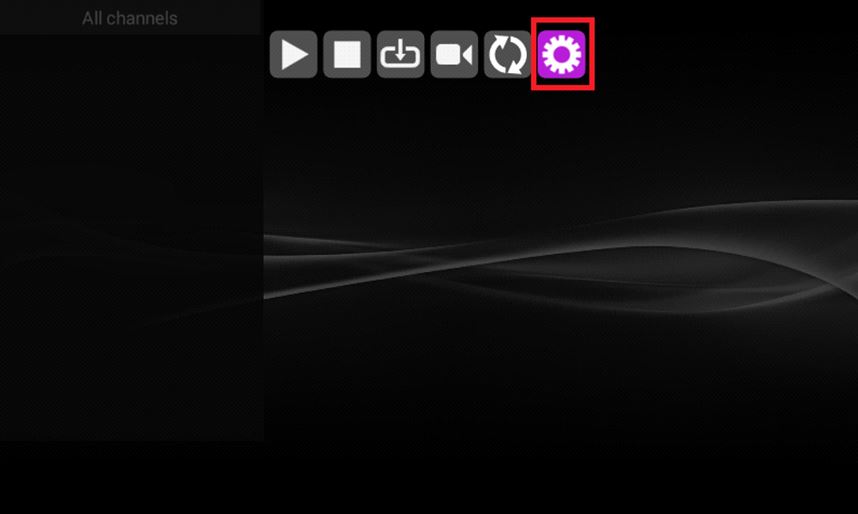
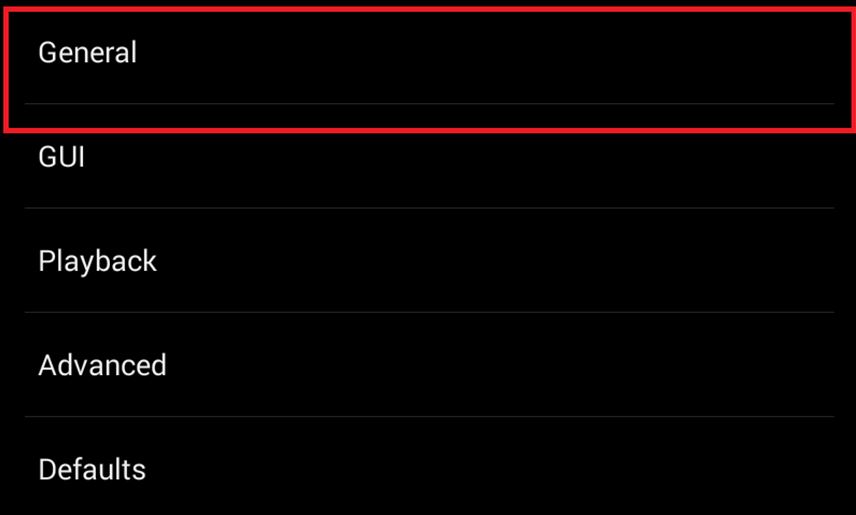
Step 2: Now select "General".
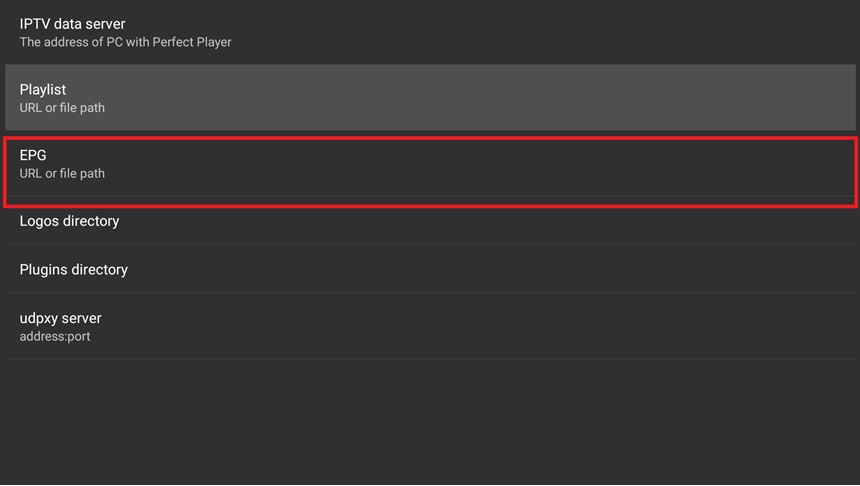
Step 3: Now select "EPG URL or file path" and enter your EPG URL provided by your IPTV distributor and select “OK”.
Step 4: Now restart the Application and wait for your channels to load.

That’s all. Your 'EPG' should then be displayed with your list of channels.
Related: Hardwares you need for watching IPTV_files
Developed by Mainiptv.com